user
e11040029c
d05 Права на файлы
user
e11040029c
d05 Права на файлы
|
2 lat temu | |
|---|---|---|
| .. | ||
| app | 2 lat temu | |
| canvas | 2 lat temu | |
| container | 2 lat temu | |
| data | 2 lat temu | |
| driver | 2 lat temu | |
| internal | 2 lat temu | |
| layout | 2 lat temu | |
| storage | 2 lat temu | |
| test | 2 lat temu | |
| theme | 2 lat temu | |
| widget | 2 lat temu | |
| .gitignore | 2 lat temu | |
| .godocdown.import | 2 lat temu | |
| AUTHORS | 2 lat temu | |
| CHANGELOG.md | 2 lat temu | |
| CODE_OF_CONDUCT.md | 2 lat temu | |
| CONTRIBUTING.md | 2 lat temu | |
| LICENSE | 2 lat temu | |
| README.md | 2 lat temu | |
| SECURITY.md | 2 lat temu | |
| animation.go | 2 lat temu | |
| app.go | 2 lat temu | |
| canvas.go | 2 lat temu | |
| canvasobject.go | 2 lat temu | |
| clipboard.go | 2 lat temu | |
| cloud.go | 2 lat temu | |
| container.go | 2 lat temu | |
| device.go | 2 lat temu | |
| driver.go | 2 lat temu | |
| event.go | 2 lat temu | |
| fyne.go | 2 lat temu | |
| geometry.go | 2 lat temu | |
| key.go | 2 lat temu | |
| key_darwin.go | 2 lat temu | |
| key_other.go | 2 lat temu | |
| layout.go | 2 lat temu | |
| log.go | 2 lat temu | |
| math.go | 2 lat temu | |
| menu.go | 2 lat temu | |
| notification.go | 2 lat temu | |
| overlay_stack.go | 2 lat temu | |
| preferences.go | 2 lat temu | |
| resource.go | 2 lat temu | |
| serialise.go | 2 lat temu | |
| settings.go | 2 lat temu | |
| shortcut.go | 2 lat temu | |
| staticcheck.conf | 2 lat temu | |
| storage.go | 2 lat temu | |
| text.go | 2 lat temu | |
| theme.go | 2 lat temu | |
| uri.go | 2 lat temu | |
| validation.go | 2 lat temu | |
| widget.go | 2 lat temu | |
| window.go | 2 lat temu | |
README.md





About
Fyne is an easy-to-use UI toolkit and app API written in Go. It is designed to build applications that run on desktop and mobile devices with a single codebase.
Version 2.4 is the current release of the Fyne API, it added rounded corners, emoji, layout debug support and table headers, along with a large number of smaller feature additions. We are now working towards the next big release, codenamed Elgin and more news will follow in our news feeds and GitHub project.
Prerequisites
To develop apps using Fyne you will need Go version 1.17 or later, a C compiler and your system's development tools. If you're not sure if that's all installed or you don't know how then check out our Getting Started document.
Using the standard go tools you can install Fyne's core library using:
go get fyne.io/fyne/v2@latest
After importing a new module, run the following command before compiling the code for the first time. Avoid running it before writing code that uses the module to prevent accidental removal of dependencies:
go mod tidy
Widget demo
To run a showcase of the features of Fyne execute the following:
go install fyne.io/fyne/v2/cmd/fyne_demo@latest
fyne_demo
And you should see something like this (after you click a few buttons):

Or if you are using the light theme:

And even running on a mobile device:

Getting Started
Fyne is designed to be really easy to code with. If you have followed the prerequisite steps above then all you need is a Go IDE (or a text editor).
Open a new file and you're ready to write your first app!
package main

import (
	"fyne.io/fyne/v2/app"
	"fyne.io/fyne/v2/container"
	"fyne.io/fyne/v2/widget"
)

func main() {
	a := app.New()
	w := a.NewWindow("Hello")

	hello := widget.NewLabel("Hello Fyne!")
	w.SetContent(container.NewVBox(
		hello,
		widget.NewButton("Hi!", func() {
			hello.SetText("Welcome :)")
		}),
	))

	w.ShowAndRun()
}
And you can run that simply as:
go run main.go
It should look like this:

|

|
Run in mobile simulation
There is a helpful mobile simulation mode that gives a hint of how your app would work on a mobile device:
go run -tags mobile main.go
Another option is to use fyne command, see Packaging for mobile.
Installing
Using go install will copy the executable into your go bin dir.
To install the application with icons etc into your operating system's standard
application location you can use the fyne utility and the "install" subcommand.
go install fyne.io/fyne/v2/cmd/fyne@latest
fyne install
Packaging for mobile
To run on a mobile device it is necessary to package up the application. To do this we can use the fyne utility "package" subcommand. You will need to add appropriate parameters as prompted, but the basic command is shown below. Once packaged you can install using the platform development tools or the fyne "install" subcommand.
fyne package -os android -appID my.domain.appname
fyne install -os android
The built Android application can run either in a real device or an Android emulator. However, building for iOS is slightly different. If the "-os" argument is "ios", it is build only for a real iOS device. Specify "-os" to "iossimulator" allows the application be able to run in an iOS simulator:
fyne package -os ios -appID my.domain.appname
fyne package -os iossimulator -appID my.domain.appname
Preparing a release
Using the fyne utility "release" subcommand you can package up your app for release
to app stores and market places. Make sure you have the standard build tools installed
and have followed the platform documentation for setting up accounts and signing.
Then you can execute something like the following, notice the -os ios parameter allows
building an iOS app from macOS computer. Other combinations work as well :)
$ fyne release -os ios -certificate "Apple Distribution" -profile "My App Distribution" -appID "com.example.myapp"
The above command will create a '.ipa' file that can then be uploaded to the iOS App Store.
Documentation
More documentation is available at the Fyne developer website or on pkg.go.dev.
Examples
You can find many example applications in the examples repository. Alternatively a list of applications using fyne can be found at our website.
Shipping the Fyne Toolkit
All Fyne apps will work without pre-installed libraries, this is one reason the apps are so portable. However, if looking to support Fyne in a bigger way on your operating system then you can install some utilities that help to make a more complete experience.
Additional apps
It is recommended that you install the following additional apps:
| app | go install | description |
|---|---|---|
| fyne_settings | fyne.io/fyne/v2/cmd/fyne_settings |
A GUI for managing your global Fyne settings like theme and scaling |
| apps | github.com/fyne-io/apps |
A graphical installer for the Fyne apps listed at https://apps.fyne.io |
These are optional applications but can help to create a more complete desktop experience.
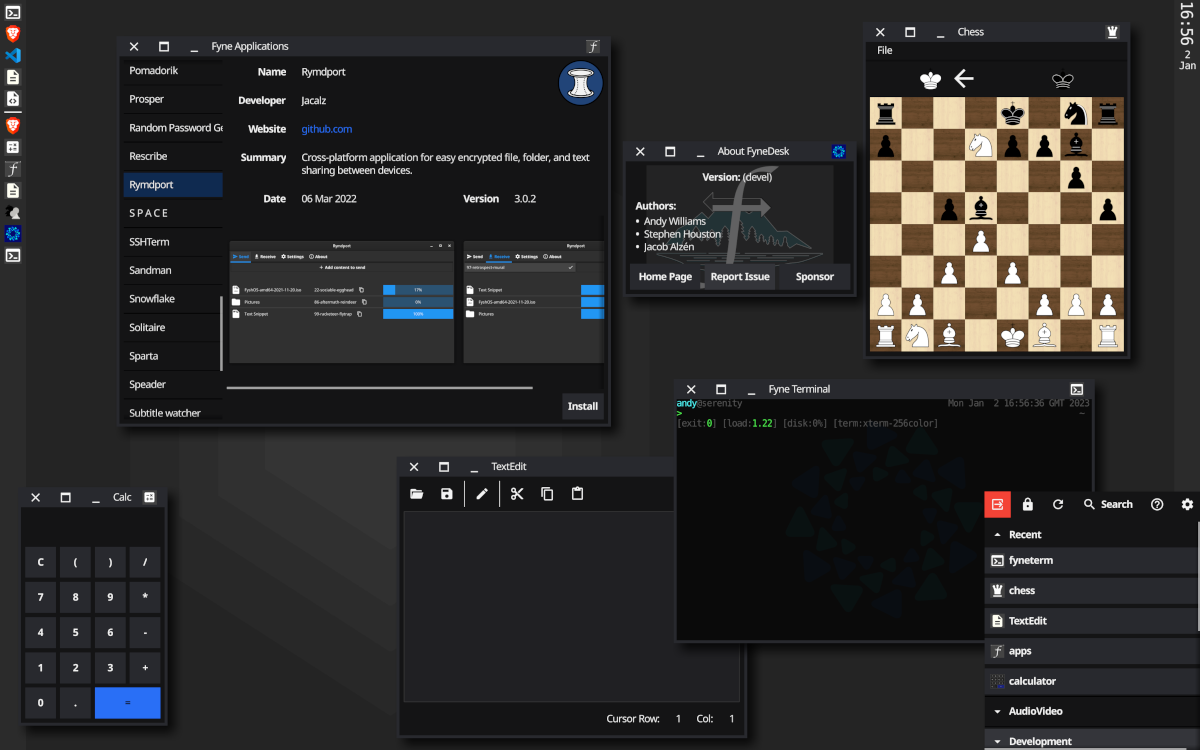
FyneDesk (Linux / BSD)
To go all the way with Fyne on your desktop / laptop computer you could install FyneDesk as well :)